
- Open Telegram
- Type Botfather in the search bar
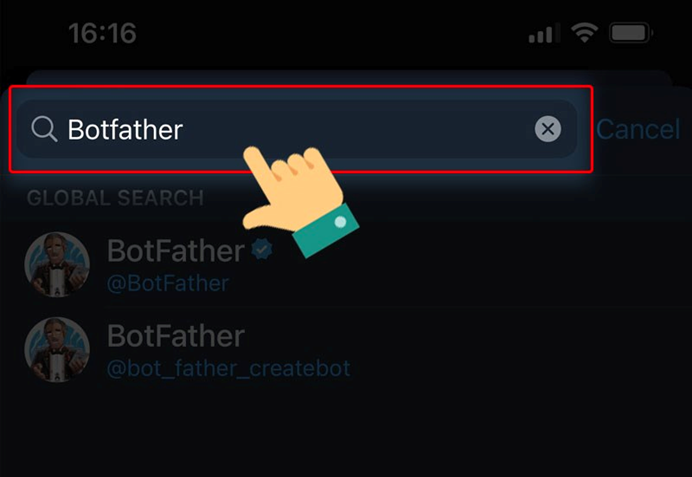
- Select the Botfather with a blue tick.
- Click Start

Click on /newbot – create a new bot.
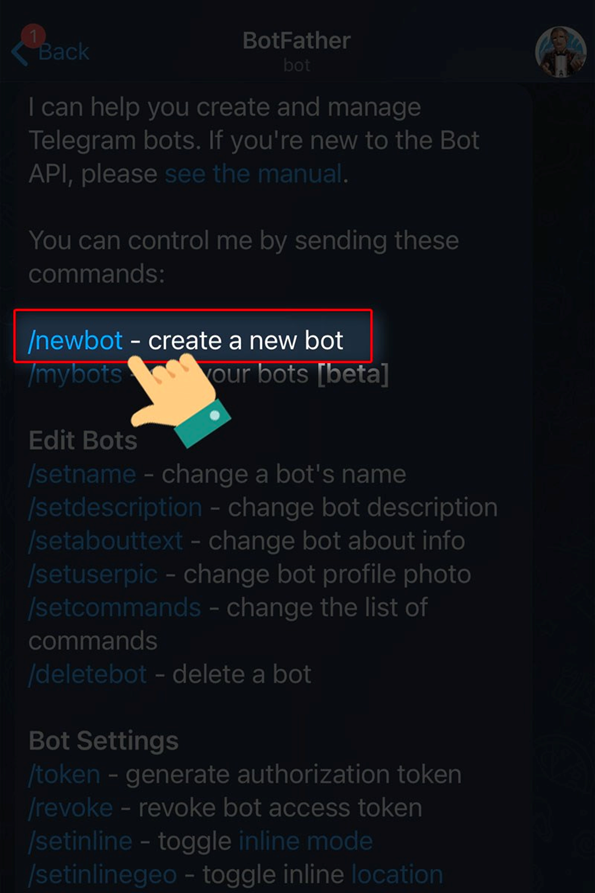
Enter a name for the Bot.
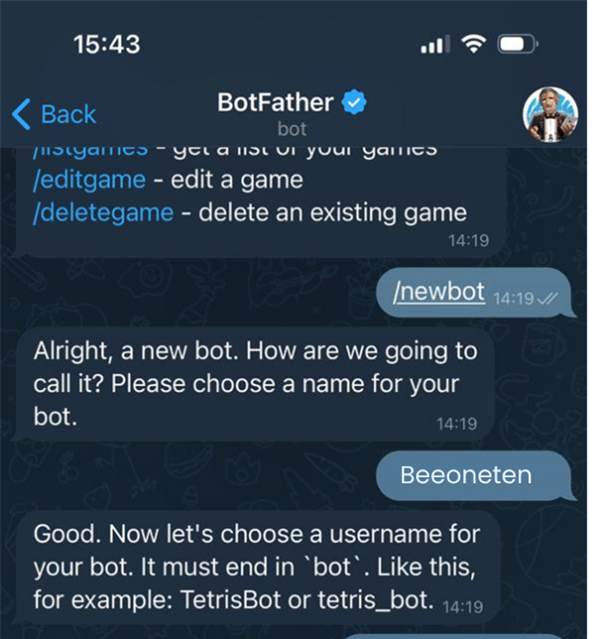
Example: input Beeoneten, then your bot name would be Beeoneten
- Enter a username for the Bot.
- Note: The name you create must end with “bot”, such as Beeoneten or Beeoneten _bot.
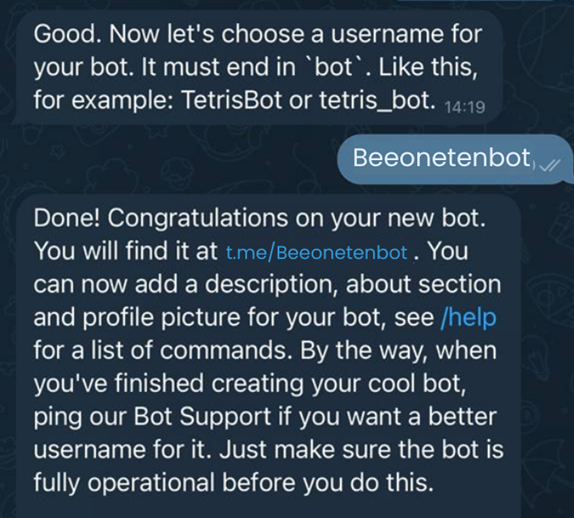
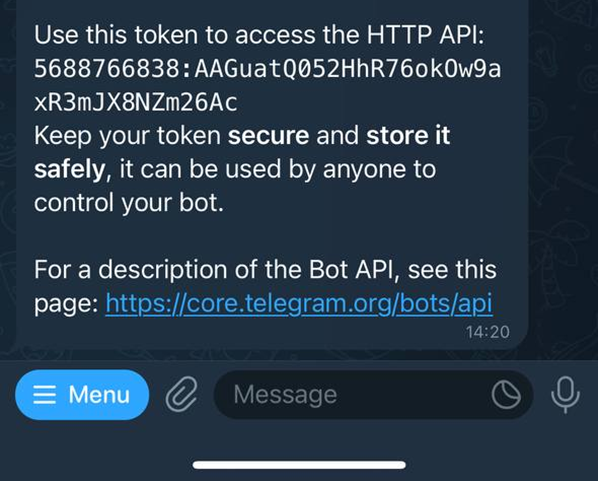
The system will send you the token of the bot you just created
- After you’ve finished creating your bot on Telegram, go to https://app.beeoneten.com/channel/bot
- Click on + New bot
- Select Telegram application
- Input your bot name [Example: Beeoneten]
- Input your bot username as URI [Example: Beeonetenbot]
- Input your bot token which you receive after entering username for bot
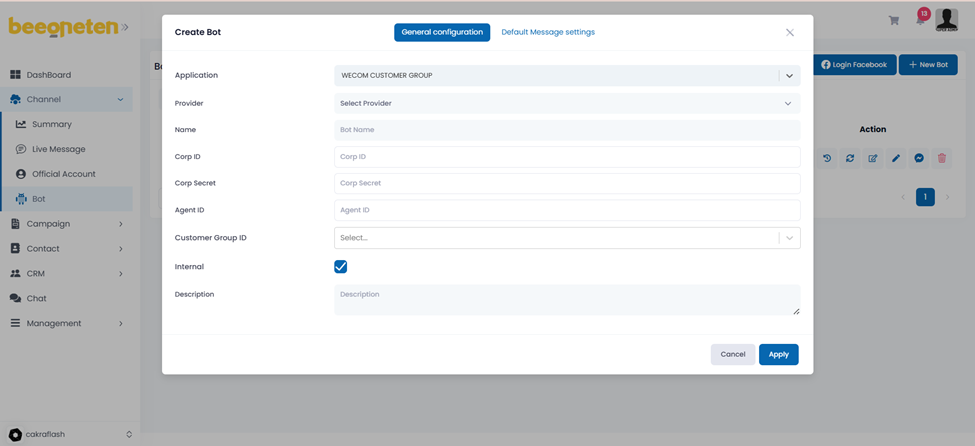
Click Apply

 Subscribe to our newsletter!