
You are able to check the status of each campaign when opening the Dashboard Campaign section. The Broadcast column will show you the current status of each campaign.
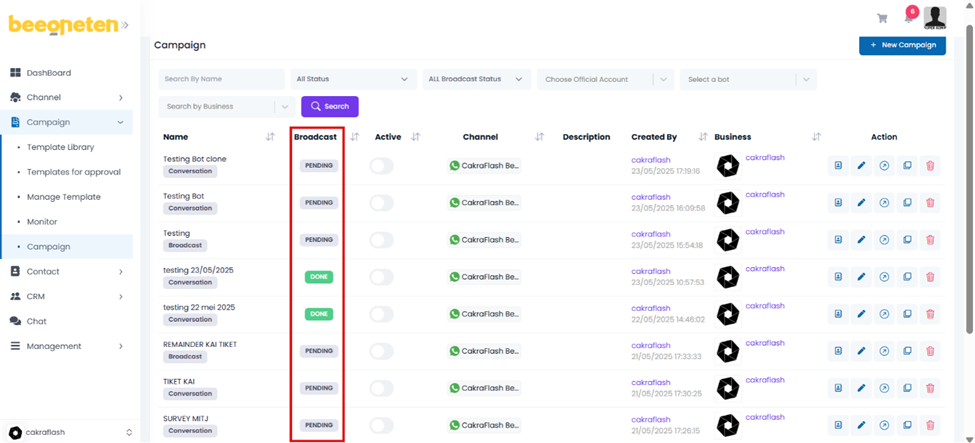
There are 4 types of status for the campaign:
- Pending:
- For campaigns that we have not clicked on Broadcast all
- Just sent messages to a few phone numbers
- And not set an expired time for the campaign
- Done:
- For campaigns that we have clicked Broadcast all
- All phone numbers in the campaign have been sent messages and have a final status for each message
- Expired:
- For expired campaigns, those campaigns that have a time limit set when created, when the time limit is over, the status will change to Expired
- Which means that even if the end-users respond to the message at expired time, they will not receive any more messages from the template.
- Processing:
- For campaigns that we just clicked Broadcast all and the process of sending messages to all phone numbers in the campaign has not ended.
