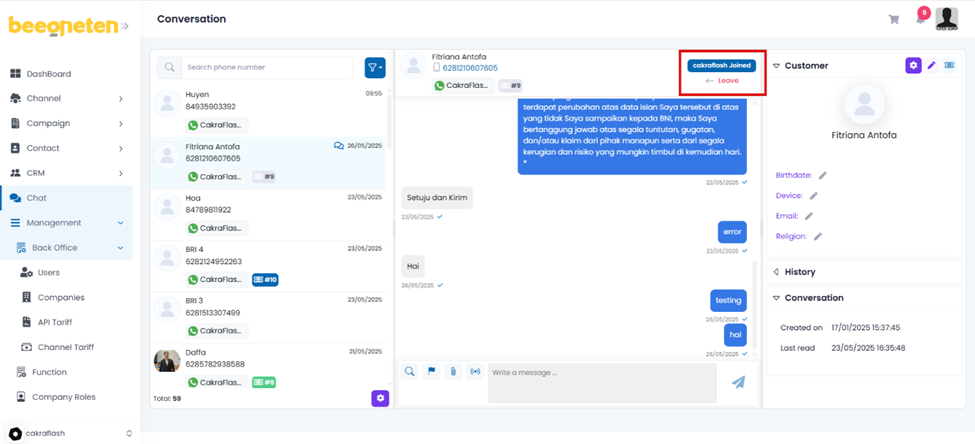
This feature allows us to open live chat with customers based on available conversations (suitable for Customer Service team to use) for cases in which customers want to contact a live agent for technical advice and other support (not in the script on flow of messages).
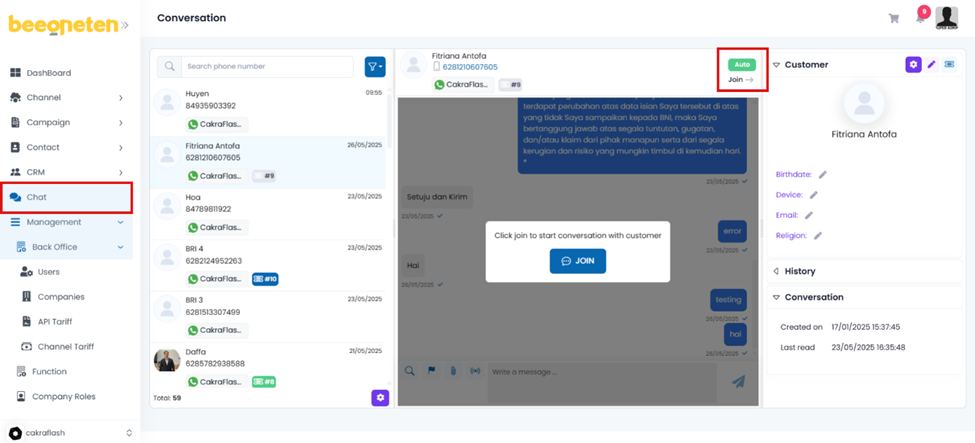
- Click on Chat section
- Select bulk campaign you would like to open live chat
- Select your filters
- Select the conversation you would like to join => Click on Join button
- After supporting users, remember to click the Leave button