
The function allows you to set a restriction on the number of messages that can be sent in a given amount of time.
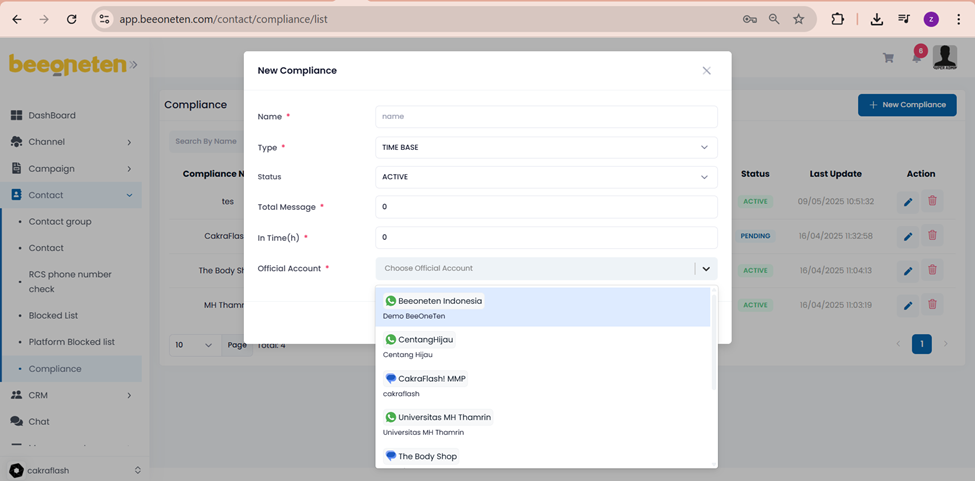
- Click on +New Compliance button
- Name your new compliance
- Type: Time base (currently just this type is available)
- Status:
- Pending: leave this status when not in use
- Active: Leave this status when you want to use this compliance
- Disabled: Leave this status when you want to stop this compliance
- Total message: total number of messages allowed to send out
- In time(h): the time frame specified for compliance, if the number of messages specified in the total message has been sent and not enough time has passed, the message will no longer be sent.
- Example: Total message is set to 2 and In time(h) is set to 1 hour. Meaning the system can then only send out 2 messages in an hour. If less than 1 hour has passed since sending the 1st message, you cannot send the 3rd message out.
- Official account: select the OA which you would like to apply this compliance
Note: The total number of messages is calculated based on the status Sent (including Sent, Delivered and Read) => Failed is not counted.
