
This function is used to create a group of contacts or add contacts to your account.
Note: Only contacts that have been added to your account can be added to the campaign.
- Select Contact section on drop-down menu list
- Select Group option
- Click on New group contact
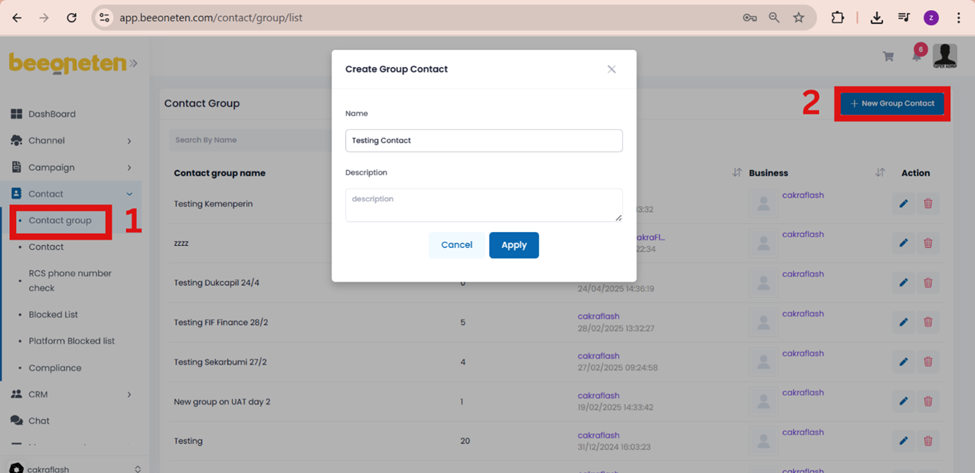
- Input name of your group
- Input description of your group
- Click Apply
Note: You are able to create multiple groups of contacts.
