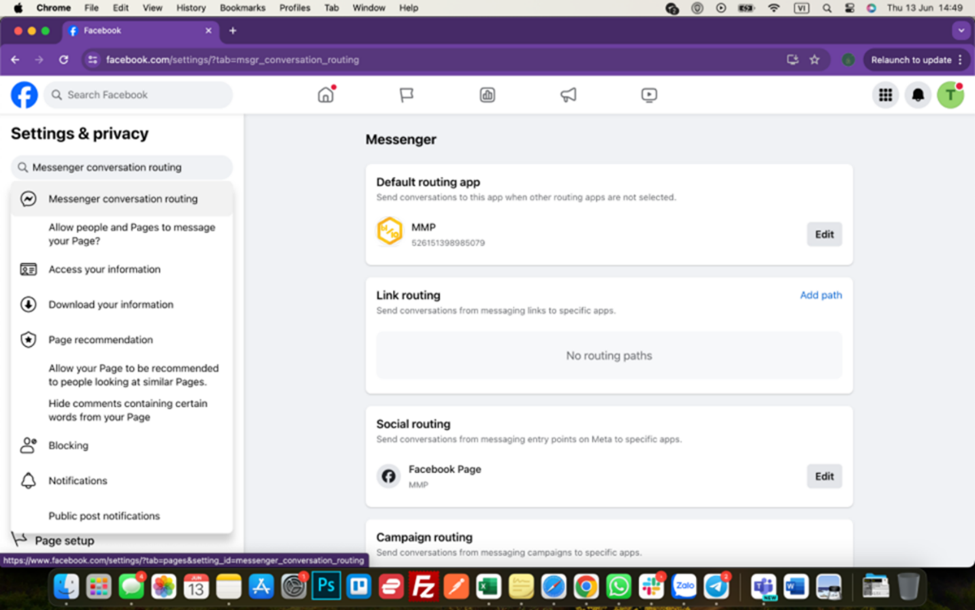
- Login your Facebook account on your selected browser
- Make sure it’s admin account of Pages you would like to use to create the chat
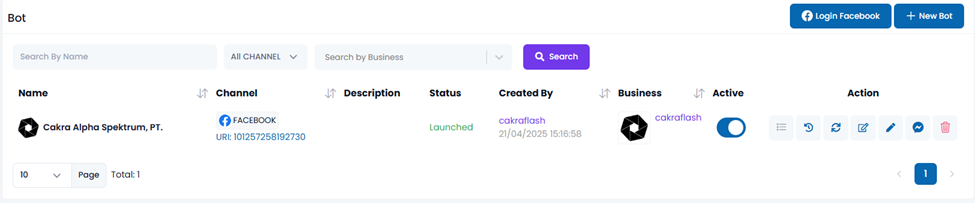
- Open https://app.beeoneten.com/channel/bot
- Click on Login With Facebook => Continue with the logged in account
- Your managed pages will automatically be registered as Facebook bot
- Note: Bots name will be your Pages name
To ensure that the end-user’s messages are directed to the right Facebook bot which has been added to the system:
- Select Advanced Messaging
- Select Messenger receiver
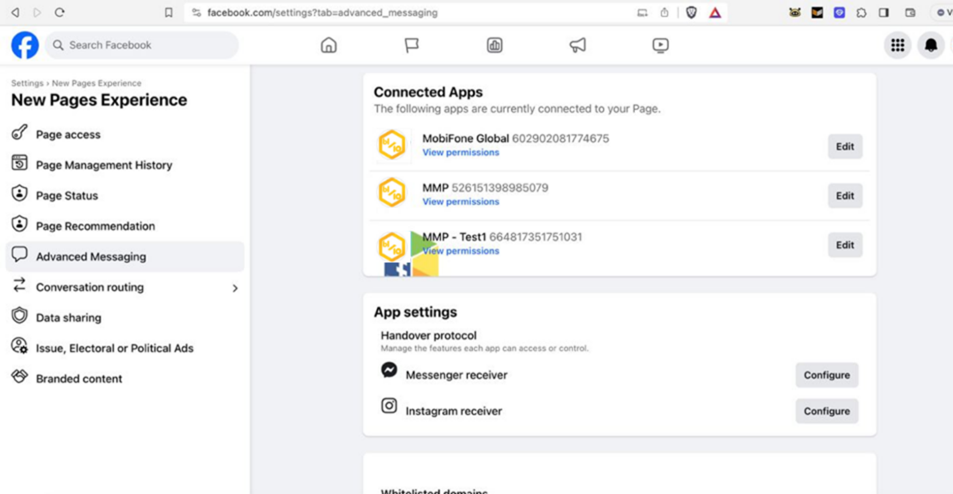
- Select Messenger receiver
- Change the handover protocol to your application.
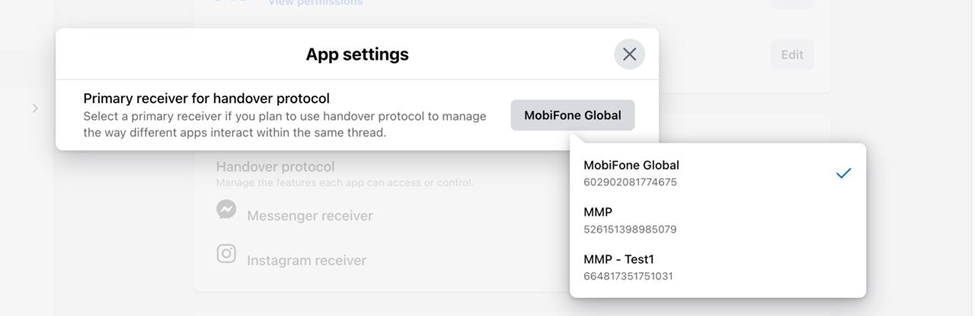
- Search for Messenger conversation routing in Setting
- Set up Default routing app is MMP