
This feature allows users to download the data of each bulk campaign as an excel file (.xlsx).
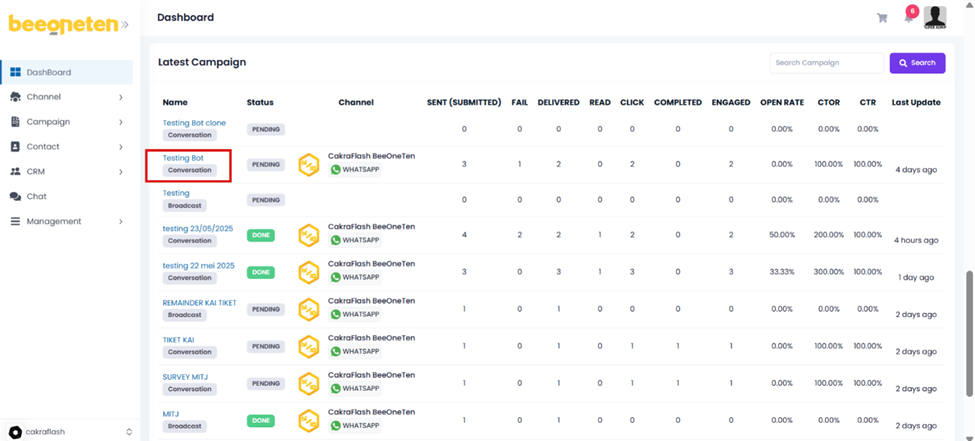
Select the bulk campaign you would like to download data by clicking on that bulk campaign
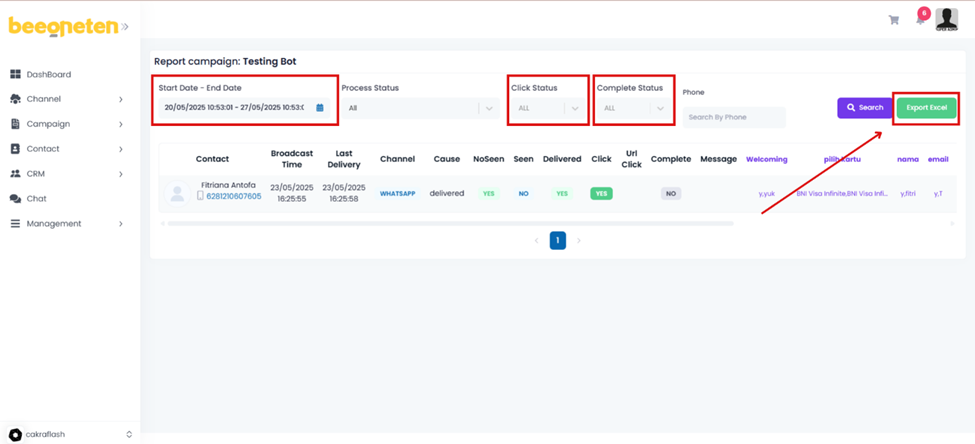
- Select the time you want to download the data
- Select the channel you want to download data [Or you can select All]
- All
- RCS
- Viber
- Apple
- Select each message status you want to download separately [Or you can select All]
- All
- Pending
- Sent
- Fail
- Delivered
- Read
- Click Export Data once you completed your filters
Note: There will be cases which the status is Delivered, Seen = No, but Click is Yes. The reason is because if users set the message settings to not display Seen for people who send messages to them, then GG system will not be able to record the Read status but will only record the status as Delivered => So users can still read and click on messages normally. We can capture click = Yes because they click on the CTA button.
