
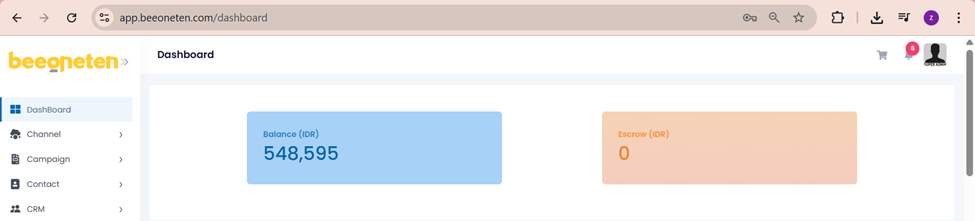
- Balance: the total amount of the prepaid account. This balance will be deducted every time the message is sent out successfully.
- Escrow: total amount of deposit, message sent out successfully or failed, escrow will keep the prepayment. For a successful message, after the balance deduction is complete, the Escrow part will automatically reset. For failed messages, the deposit will be returned to the customer.
- For example: you deposited 150,000 Rp, and spent 10,000 Rp. Then display the amount in Balance must be 140,000 Rp and Escrow is 10,000 Rp.
- Successfully sent: Your Balance must be stayed at 140.000 Rp and Escrow would be reset to 0 Rp after a few minutes.
- Failed message: Your Balance would be refunded 10.000 Rp and stayed at 150.000 Rp and after refunding successfully, Escrow will turn to 0 Rp.
- For example: you deposited 150,000 Rp, and spent 10,000 Rp. Then display the amount in Balance must be 140,000 Rp and Escrow is 10,000 Rp.
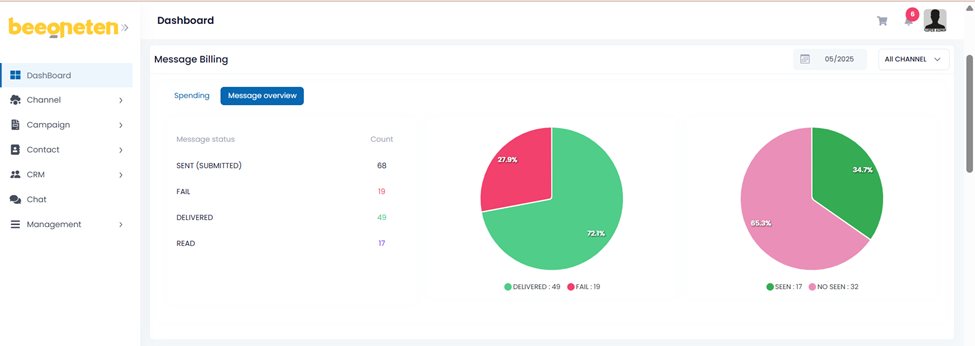
- Select the time you want to check the data
- Select the channel you want to check [Or you can check all]
The data is displayed in a pie chart and detailed data in the form of numbers.
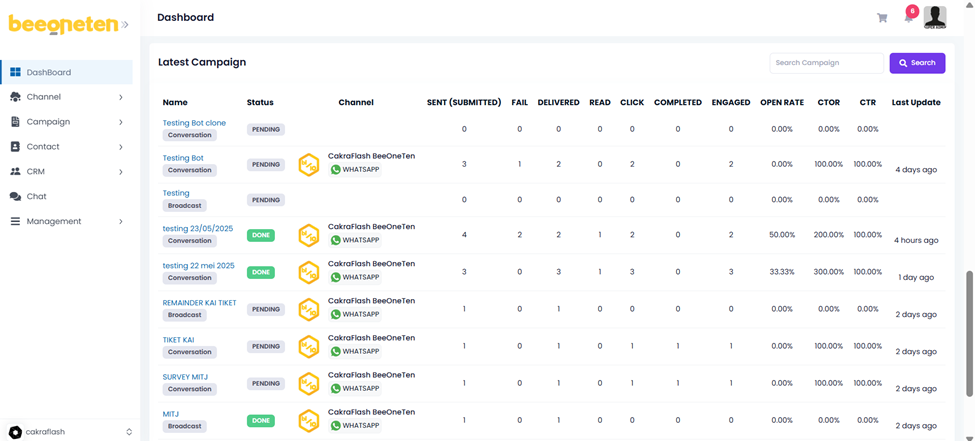
- The metrics for each campaign can be found in the lower area of the Dashboard.
- The refresh button in the Action column can immediately update the metrics for the campaigns
