Purpose: When the template is approved, you can Create a campaign with your Catalog template to send the message to a Whatsapp account.
- Start creating a Campaign
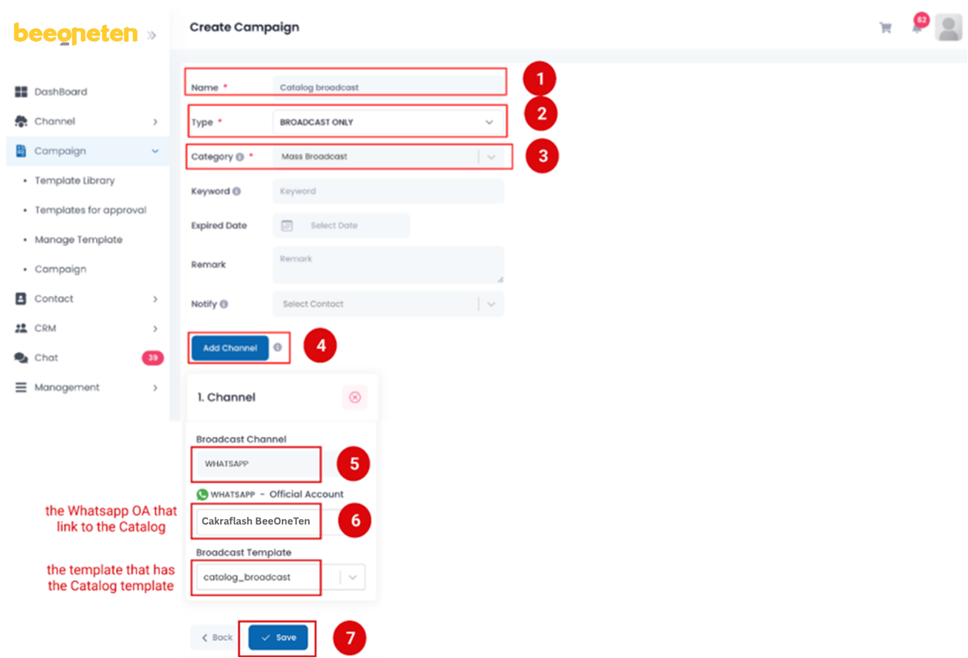
- Create a broadcast campaign
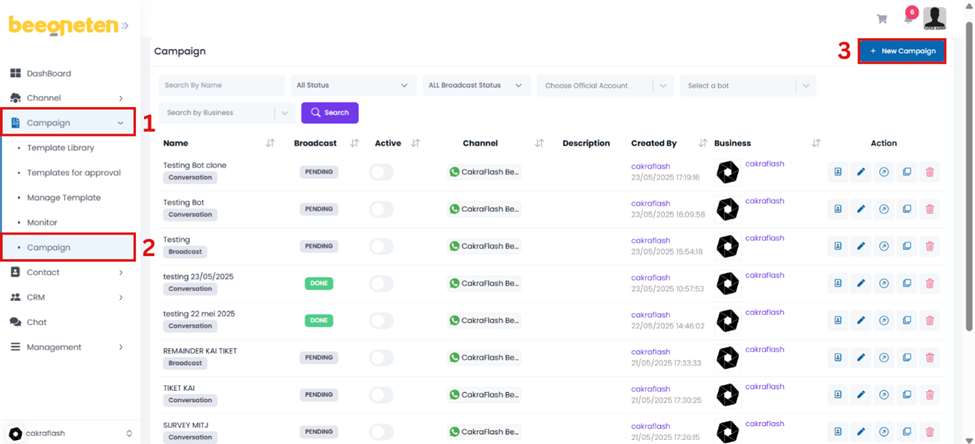
- Create a broadcast campaign
2.1. Create a Broadcast campaign
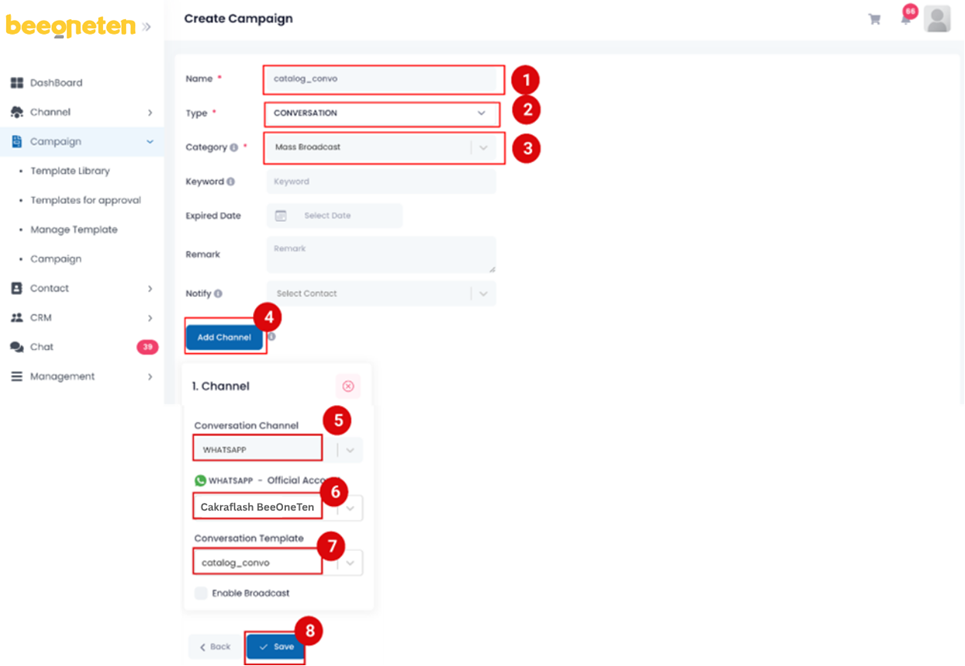
2.1. Create a Conversation campaign
Broadcast message with the Campaign.
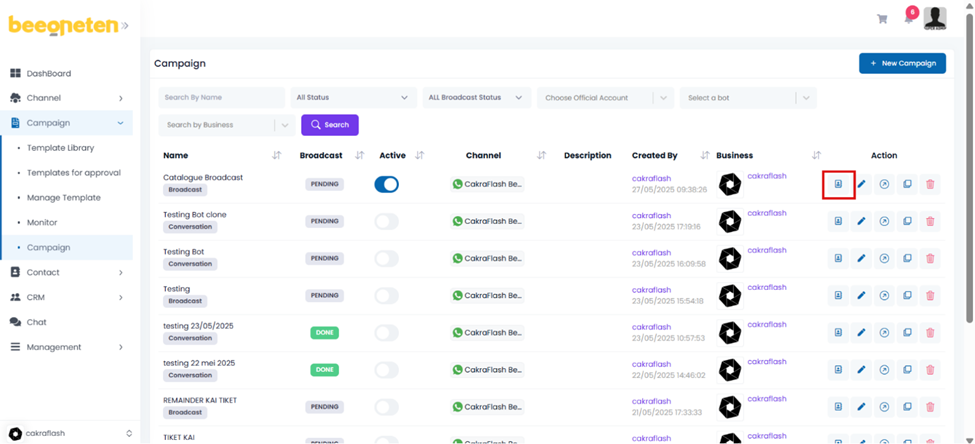
Then upload targeted contacts and Broadcast the campaign
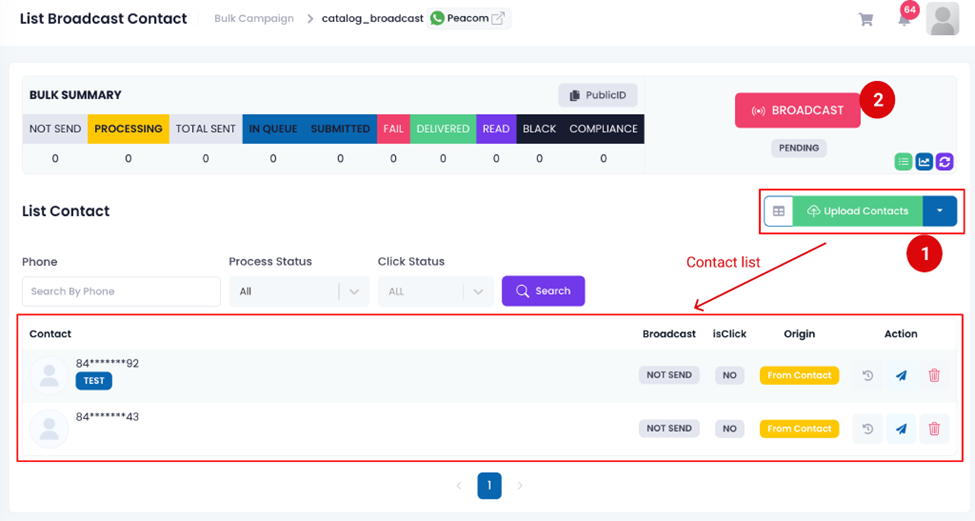
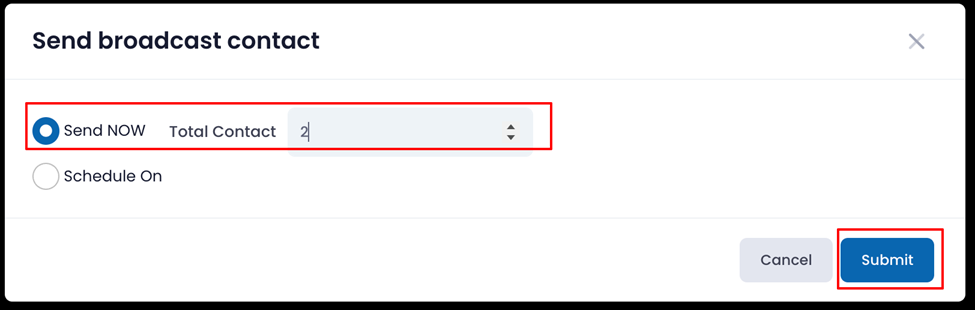
Setup Broadcast and Submit to send