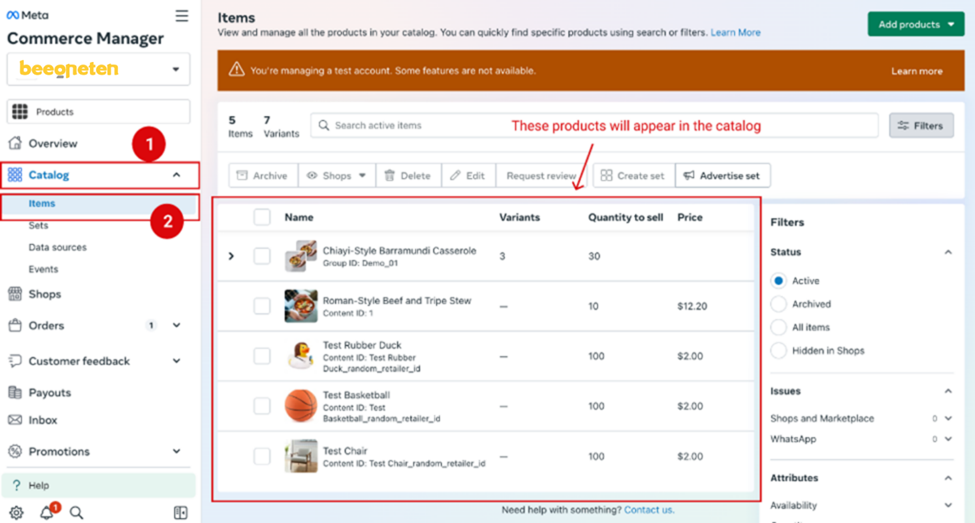
Purpose: To add products in your Catalog which you want it to appear on Whatsapp, you need to set up your Commerce Account on your Meta Business Suite.
Steps
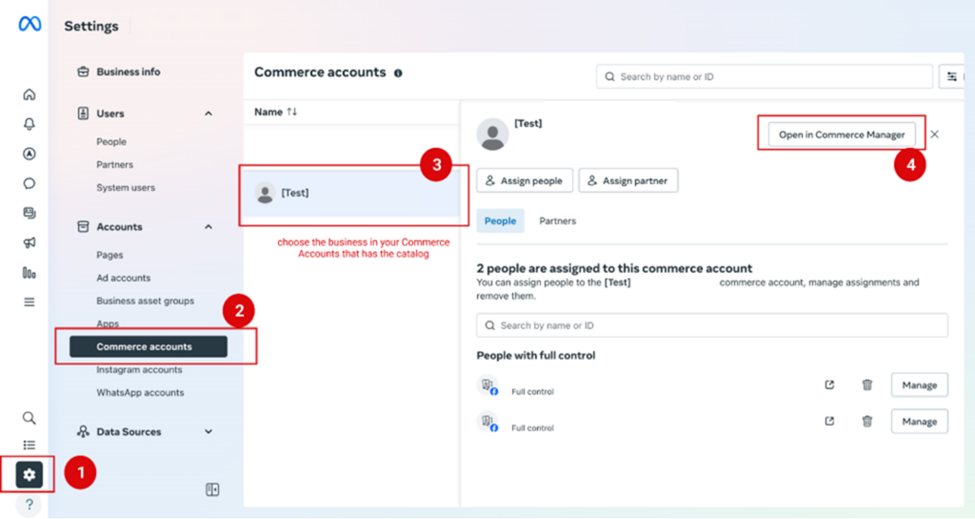
- Go to this page of your Meta Business Suite via this link.
- Follow these steps to manage your commerce account
When you open the Catalog, edit items that you want them to appear in the Catalog